
 Sobre
Sobre
Beginner Tips for Changing Embroidery Design Sizes the Right Way
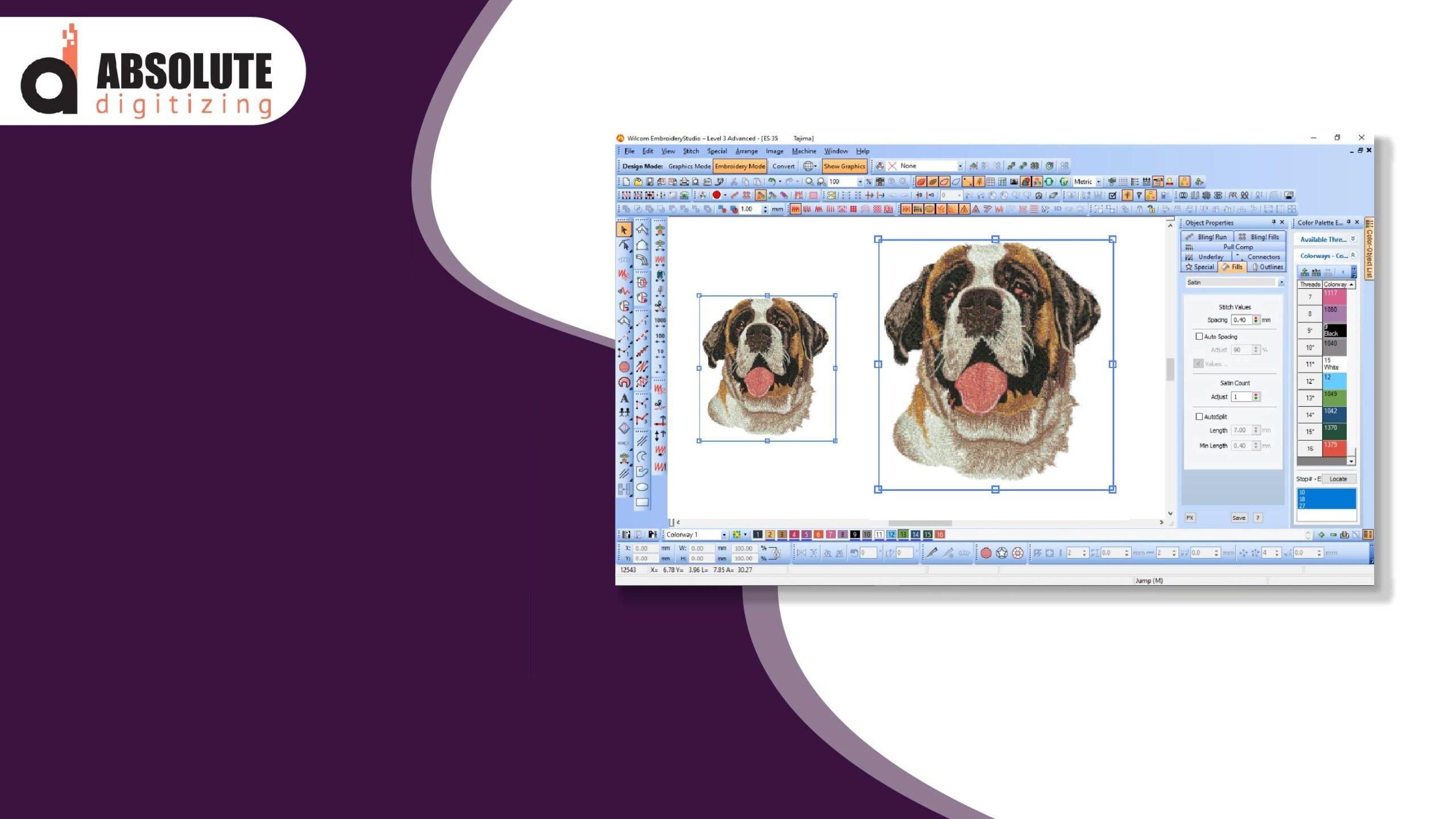
Changing the size of an embroidery design may look easy at first. Many people think they can simply make a design bigger or smaller with one click. But embroidery files work differently from normal images. When the size changes, the stitches also change. This can affect the final look of the design on fabric.
Many beginners try to Resize Embroidery Designs without checking stitch settings, density, or fabric type. This often causes thread breaks, gaps, puckering, or messy stitching. The good news is that simple steps can help you avoid these problems. With the right method, you can change design sizes while keeping embroidery clean and smooth.
This guide shares beginner-friendly tips for adjusting embroidery design sizes the right way. The advice comes from real embroidery work and practical machine experience. These tips can help improve stitch quality and reduce common resizing mistakes.
Why Embroidery Design Size Matters
Embroidery size affects how stitches behave on fabric.
A design that works well at one size may not work the same after resizing.
Problems Caused by Poor Resizing
Bad resizing may create:
-
Broken thread
-
Thick stitching
-
Gaps in coverage
-
Uneven text
-
Fabric puckering
-
Poor shape quality
Good resizing keeps embroidery balanced and clean.
Understand How Embroidery Files Work
Embroidery files are made of stitches, not pixels like normal images.
Every stitch has:
-
Length
-
Direction
-
Density
-
Path
When the design changes size, these stitch settings may also change.
Why This Is Important
If stitches become too close together, the design may become stiff.
If stitches spread too far apart, gaps may appear.
That is why resizing must be done carefully.
Know the Safe Resizing Range
Most embroidery designs can only change size by a small amount safely.
General Safe Resize Rule
-
Increase size by about 10% to 20%
-
Decrease size by about 10% to 20%
Large changes often require editing or redigitizing.
What Happens With Large Changes
Making Designs Too Small
Small details may disappear.
Text may become unreadable.
Making Designs Too Large
Large stitches may look loose or uneven.
Coverage problems may appear.
Use Good Embroidery Software
Basic software may only stretch the design without fixing stitches.
Professional embroidery software adjusts stitches more carefully.
Helpful Software Features
Look for tools that manage:
-
Stitch density
-
Underlay
-
Stitch length
-
Compensation
Good software helps protect embroidery quality after resizing.
Check Stitch Density After Resizing
Stitch density is one of the biggest issues during resizing.
What Is Stitch Density?
It means how close stitches are together.
Too Much Density
Heavy density may cause:
-
Thread breaks
-
Stiff fabric
-
Needle heat
-
Puckering
Too Little Density
Loose density may create:
-
Fabric show-through
-
Weak coverage
-
Thin-looking embroidery
Always check density after changing design size.
Watch Stitch Length Carefully
Stitch length changes during resizing too.
Long Stitches Can Cause Problems
Very long stitches may:
-
Snag easily
-
Look loose
-
Catch on fabric
Short Stitches Can Create Thickness
Very short stitches may create heavy embroidery buildup.
Balanced stitch length helps designs look smoother.
Test Small Text and Fine Details
Tiny details often become a problem after resizing.
Small Text Problems
When text becomes too small:
-
Letters may close up
-
Stitching may look messy
-
Shapes may lose detail
Simple Fixes
Increase Text Size
Make lettering slightly larger for better readability.
Use Simple Fonts
Block fonts stitch better than thin script fonts.
Remove Tiny Details
Very small elements may need simplification.
Choose the Right Fabric
Fabric affects resized designs differently.
Stretch Fabrics
Knits and stretchy materials move more during stitching.
These fabrics need stronger support.
Thick Fabrics
Heavy materials can handle larger embroidery better.
Soft Fabrics
Soft fabric may wrinkle under heavy stitching.
Always test resized designs on the actual fabric type.
Use Proper Stabilizer Support
Stabilizer keeps fabric stable during embroidery.
Why Stabilizer Matters More After Resizing
A resized design may stitch differently than the original version.
Extra support often helps improve results.
Common Stabilizer Types
Cut-Away Stabilizer
Good for stretchy fabric.
Tear-Away Stabilizer
Works well for stable woven fabric.
Wash-Away Stabilizer
Useful for textured surfaces like towels.
Good support helps prevent shifting and puckering.
Keep Designs Simple When Downsizing
Reducing design size can be harder than enlarging it.
Why Small Designs Are Difficult
Small embroidery leaves less space for stitches.
Fine details may merge together.
Helpful Downsizing Tips
-
Remove tiny shapes
-
Simplify outlines
-
Reduce color changes
-
Use bold lettering
Simple designs usually resize better.
Avoid Overstretching Designs
Some beginners stretch designs unevenly.
This changes the original shape.
Problems Caused by Stretching
-
Distorted logos
-
Uneven circles
-
Crooked text
-
Poor stitch flow
Always resize designs evenly to keep proportions balanced.
Check Underlay Stitches
Underlay supports top embroidery stitches.
Why Underlay Matters
Resizing changes how stitches sit on fabric.
Underlay may need adjustment after resizing.
Benefits of Proper Underlay
-
Better coverage
-
Smoother stitching
-
Improved stability
-
Reduced fabric movement
Good underlay helps embroidery look more professional.
Run a Test Stitch Every Time
Testing is one of the most important steps after resizing.
What Test Stitching Helps You Find
-
Tension problems
-
Stitch gaps
-
Fabric puckering
-
Poor coverage
-
Thread breaks
Use Matching Materials
Test on the same:
-
Fabric
-
Thread
-
Stabilizer
This gives the most accurate results.
Slow Down Machine Speed for Detailed Designs
Detailed resized designs often stitch better at lower speeds.
Fast Speeds May Cause
-
Missed stitches
-
Thread breaks
-
Rough edges
-
Poor detail
Slow Speeds Improve Accuracy
Lower speed gives the machine more control over detailed stitching.
Pay Attention to Pull Compensation
Fabric naturally shifts during embroidery.
This is called pull effect.
What Pull Compensation Does
It adjusts stitch width to help shapes stay balanced.
Common Pull Problems
Without compensation:
-
Circles become oval
-
Text shrinks
-
Borders separate
Resized designs may need pull compensation adjustments.
Avoid Too Many Color Changes
Resizing may make small color sections harder to stitch.
Why Fewer Colors Help
Simple color setups:
-
Reduce trims
-
Improve stitch flow
-
Lower thread break risk
-
Create cleaner embroidery
Simple embroidery often looks more professional.
Organize Design Files Properly
Good file organization saves time later.
Helpful File Tips
-
Save original files
-
Create backup copies
-
Rename resized versions clearly
-
Keep test samples
This helps you compare results and track changes.
Understand Hoop Size Limits
Hoop size affects embroidery movement and stability.
Small Hoops Give Better Control
Large hoops may allow more fabric shifting.
Match Hoop Size to Design
Choose a hoop close to the embroidery size for better support.
Learn Basic Digitizing Skills
Even simple digitizing knowledge helps with resizing.
Helpful Skills to Learn
Density Adjustment
Controls stitch spacing.
Stitch Path Planning
Improves machine movement.
Underlay Editing
Adds design support.
Compensation Settings
Helps maintain shape balance.
Learning these basics improves embroidery quality over time.
Keep Your Embroidery Machine Maintained
A poorly maintained machine can make resized designs look worse.
Simple Maintenance Tips
-
Clean lint daily
-
Replace dull needles
-
Oil moving parts
-
Check thread tension
Good machine care supports cleaner embroidery.
Practice With Simple Designs First
Beginners should practice resizing basic artwork first.
Good Starter Designs
-
Bold logos
-
Large text
-
Simple shapes
Avoid highly detailed artwork until your skills improve.
Learn From Each Test
Every sample teaches something useful.
Watch for:
-
Thread flow
-
Shape quality
-
Fabric movement
-
Stitch balance
Practice helps build confidence.
Common Beginner Mistakes to Avoid
Resizing Too Much
Large changes often damage stitch quality.
Skipping Test Runs
Never trust a resized design without testing it.
Ignoring Fabric Type
Different materials react differently during stitching.
Using Poor Stabilizer
Weak support creates shifting and puckering.
Forgetting Density Checks
Density problems are very common after resizing.
Avoiding these mistakes helps embroidery look cleaner.
Build Confidence Step by Step
Many beginners feel nervous when adjusting embroidery sizes.
That is normal.
Embroidery takes practice and patience.
Focus on Small Improvements
Learn one skill at a time:
-
Safe resizing limits
-
Density control
-
Fabric support
-
Test stitching
-
Machine settings
These simple steps help build strong embroidery habits.
Why Experience Matters in Embroidery Resizing
Experienced embroidery workers know that every design reacts differently.
A logo for a cap may need different settings than a logo for a jacket.
Real embroidery experience teaches:
-
How fabrics behave
-
How thread reacts
-
How designs shift
-
How machines perform
That is why testing and careful adjustment are always important.
Final Thoughts
Changing embroidery design sizes the right way takes more than dragging a corner on a computer screen. Embroidery files depend on balanced stitches, proper density, correct support, and fabric stability.
Small adjustments in stitch settings, underlay, tension, and stabilizer can make a huge difference in final embroidery quality. Careful testing also helps catch problems before production starts.
Beginners can improve quickly by practicing on simple designs, learning basic digitizing skills, and understanding how resizing affects stitches. With patience and experience, you can resize embroidery designs while keeping them smooth, clean, and professional-looking on many types of fabric.

 English
 Arabic
 French
 Spanish
 Portuguese
 Deutsch
 Turkish
 Dutch
Dutch
 Italiano
 Russian
 Romaian
 Greek
Greek